
This article is part of our “Morgantown Business Technology Reality Check” series, where we break down the everyday technology issues we see affecting businesses across North Central West Virginia - and what they actually mean for your operations.
Spring Cleaning for Your Technology (Morgantown Business Edition)
Spring cleaning usually starts with closets.
But for most businesses around Morgantown and across North Central West Virginia, the real clutter isn’t hanging on a rack—it’s sitting in a back office, a storage room, or even a job trailer labeled “we’ll deal with that later.”
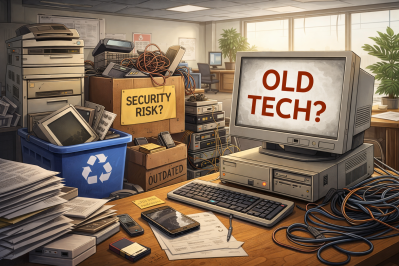
Old laptops. Retired printers. Backup drives from three upgrades ago. Boxes of cables nobody wants to throw away “just in case.”
If that sounds familiar, you’re not alone. We see this in businesses all the time - especially ones that have grown quickly over the past few years.
The question isn’t whether you have this kind of buildup. It’s whether you have a clear plan for what happens next.
Technology Has a Lifecycle — Not Just a Purchase Date
When you invest in new technology, there’s usually a clear reason:
- It’s faster
- It’s more secure
- It supports how your business is growing
Most businesses around here are good at deciding what to buy. Fewer have a plan for what to do when that equipment is no longer in use.
What usually happens is simple:
- A device gets replaced
- It gets set aside
- It eventually ends up in storage
That’s normal.
But what we see across Morgantown, Fairmont, and Clarksburg is that this “temporary” storage tends to become permanent—and over time, it creates risk, clutter, and unnecessary complexity.
Old technology doesn’t just take up space. It can still contain data, access points, and value—whether that’s reusable, recyclable, or something that needs to be securely destroyed.
Spring is a good time to step back and ask: What’s still helping our business—and what’s just taking up space?
A Practical Framework for Cleaning Up Your Tech
If you want this to be more than a “we should probably get to that” conversation, here’s a simple way to approach it.
Step 1: Take Inventory
Start with a walkthrough.
What are you actually holding onto?
- Laptops
- Phones and tablets
- Printers and copiers
- Network equipment
- External drives
For construction companies, this often includes devices spread across trucks, job sites, and trailers.
For medical and eye care practices, it’s usually older systems that were replaced but never fully decommissioned.
For accounting firms, it’s often backup drives or legacy systems that still contain years of financial data.
You can’t manage what you haven’t identified—and most businesses find more than they expected.
Step 2: Decide Where Everything Goes
Every device typically falls into one of three categories:
- Reuse (internally or donated)
- Recycle (through certified e-waste providers)
- Destroy (when data sensitivity requires it)
The key is making that decision intentionally.
What we see happen a lot is equipment drifting into what we call “storage purgatory”—not being used, but not being dealt with either.
Step 3: Prepare Devices the Right Way
This is where a little discipline makes a big difference.
If a device is being reused or donated:
- Remove it from your systems
- Revoke user access
- Perform a verified data wipe (not just a factory reset)
A quick reset doesn’t actually remove data—it just makes it harder to see.
And this matters more than most people realize.
In one study, 42% of resold drives still contained sensitive data—even though sellers believed they had wiped them properly.
For businesses in healthcare and accounting especially, this isn’t just a best practice—it’s a real risk if done incorrectly.
If devices are being recycled:
- Work with a certified e-waste provider
- Avoid general disposal or curbside options
For businesses in our area, this isn’t always straightforward—which is why many companies rely on their IT provider to help coordinate it.
If devices need to be destroyed:
- Use certified wiping or physical destruction
- Keep records (serial number, method, date)
This isn’t about overcomplicating things. It’s about closing the loop the right way.
Step 4: Document and Move On
Once equipment leaves your business, you should know:
- Where it went
- How it was handled
- That access was fully removed
Documentation removes guesswork later—and gives you confidence that nothing was missed.
The Devices People Forget About
Laptops usually get attention. Other devices? Not so much.
Phones & Tablets
These often still have:
- Email access
- Contact lists
- Authentication apps
A reset helps, but for business use, a more thorough wipe is better.
Printers & Copiers
This one surprises people.
Many modern copiers - especially the ones we see in offices around Morgantown—have internal hard drives that store:
- Scans
- Copies
- Printed documents
If you’re returning a leased copier, make sure the hard drive is wiped or removed.
Batteries
Batteries are considered hazardous waste and need proper disposal.
Retailers like Staples, Home Depot, and Lowe’s often accept them - but it’s still important to handle them correctly.
External Drives & Old Servers
These are the ones that tend to sit the longest. Closets, shelves, back rooms - we’ve seen it all.
They’re not automatically a problem, but they do need to be handled intentionally, just like everything else.
A Quick Word on Recycling (Especially This Time of Year)
With Earth Day in April, there’s more attention on responsible disposal - and that’s a good thing.
E-waste is a growing issue, and only a small percentage is properly recycled.
Here in North Central West Virginia, businesses have options - but knowing which ones are appropriate (and compliant) isn’t always obvious.
Handled correctly, retiring technology can be:
- Secure
- Environmentally responsible
- Operationally clean
And honestly, it’s something customers notice - even if you’re not making a big deal about it.
The Bigger Opportunity
Spring cleaning isn’t really about getting rid of things. It’s about creating space. And while you’re clearing out old equipment, it’s worth asking a bigger question:
Is your technology actually supporting how you want to run your business?
Because today, it’s not just hardware—it’s:
- Systems
- Software
- Automation
- Process
That’s what really drives productivity.
Getting rid of old equipment is good housekeeping. Making sure everything else is aligned? That’s what keeps your business moving forward.
Where We Come In
Most of the businesses we work with around Morgantown don’t want to spend time figuring all of this out.
They just want to know:
- It’s handled properly
- There’s no risk left behind
- And they don’t have to think about it again
This is something we regularly help coordinate—from secure data handling to working with the right recycling partners—so business owners don’t have to chase it down themselves.
And like most of our relationships, it usually starts with a simple conversation—or a referral from someone you already know.
Let’s Keep It Simple
If you’re already handling this well, great—that’s exactly how it should feel.
If not, and you’ve got a closet, storage room, or job site with equipment that needs attention, we’re happy to help you think through it.
No complicated process. No hard sell.
Just a practical conversation about how to handle it the right way—and make sure nothing gets overlooked.
Call us at 304-296-8026 or schedule a quick discovery call.
And if this made you think of another business owner around Morgantown who probably has the same situation, feel free to pass it along.
Because spring cleaning shouldn’t stop at closets. It should include the systems that keep your business running.
This is one part of our Business Technology Reality Check series.
If this topic hits close to home, you might also want to take a look at:
- [Blog 1: Cybersecurity Scams Affecting Morgantown Businesses]
- [Blog 2: Spring Cleaning Your Business Technology]
- [Blog 3: Why Your Systems Are Slower Than You Think]
- [Blog 4: Why Your Mornings Keep Getting Derailed by Tech Issues]
Most businesses we talk to are dealing with more than one of these - it just shows up in different ways.